Pass Designer for Apple Wallet Passes: What It Is and What It Does
Pass Designer is Apple's Mac app for designing Apple Wallet pass templates, announced at WWDC 2026. What it does, how to download the beta, how .pkpasstemplate files and Pass Builder work, a summary of the WWDC session, and what the tools don't cover.
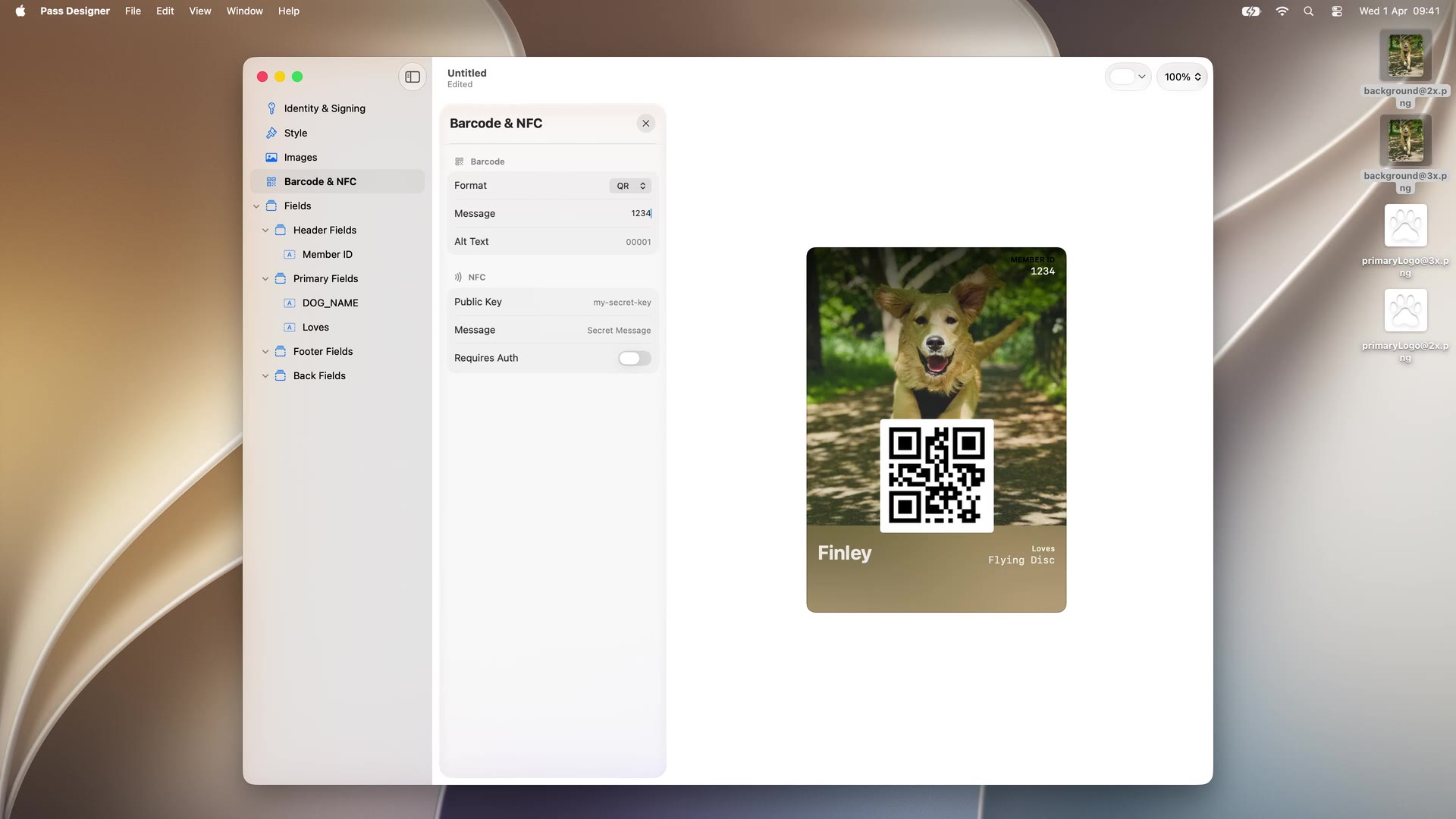
Pass Designer is a Mac app by Apple for designing Apple Wallet pass templates. Apple introduced it at WWDC 2026 in the “What’s new in Wallet” session (session 209) alongside iOS 27. It is Apple’s first first-party visual tool for making passes: a what-you-see-is-what-you-get editor that renders the pass exactly as iOS will, and saves the result as a .pkpasstemplate file that the companion Pass Builder package turns into signed, distributable passes.
The beta is available to download now with a free Apple Account; it requires macOS 27, which is itself in beta until the fall 2026 public release. We will update this page as the tools move out of beta.
At a glance
| Developer | Apple |
| Platform | Mac, macOS 27 or later |
| Announced | WWDC 2026, June 2026, session 209 |
| Status | Beta, downloadable now |
| Price | Free; requires sign-in with an Apple Account and acceptance of the Apple Developer Agreement |
| Output | .pkpasstemplate template files |
| Companion tool | Pass Builder, a Swift on Server package with a buildpass CLI |
| Documentation | Creating a pass with Pass Designer |
| Replaces | Hand-editing pass.json and eyeballing the result on a device |
What Pass Designer does
Before Pass Designer, designing an Apple Wallet pass meant writing pass.json by hand against Apple’s documentation, bundling images at the right sizes, signing the bundle, and installing it on an iPhone to see whether the layout worked. The feedback loop ran through a build step every time a label moved. Apple’s own framing in the session: passes have gained a decade of features, and it has become hard to connect what the pass bundle describes to what renders on the device.
Pass Designer replaces that loop with a sidebar editor and a live preview that is true to iOS rendering, on both iPhone and Apple Watch. The sidebar covers every part of a pass template:
- Identity & Signing. The pass type identifier, team, and signing configuration that tie the template to an Apple Developer account.
- Style. All pass styles, including the new Poster Generic style iOS 27 introduces for full-bleed artwork on membership and loyalty passes, with adaptable layouts that stay backward compatible.
- Images. Logo, icon, background, strip, and thumbnail assets, dragged in from the Finder, with the resolution variants Wallet expects.
- Fields. Header, primary, secondary, auxiliary, footer, and back fields, edited in place with key, label, value type, and text alignment.
- Barcode & NFC. Barcode format and message (including the four formats new in iOS 27: EAN-13, Code 39, Codabar, ITF), plus NFC public key and message for contactless passes.
- Semantics. For boarding passes and event tickets, the semantic tags that feed Siri Suggestions, Calendar integration, and Maps directions.
The app validates as you design and flags missing required values. You can start from Apple-provided templates or from scratch, and the result saves as a .pkpasstemplate file: the design, with placeholders where per-customer values go.
The workflow, as Apple demoed it
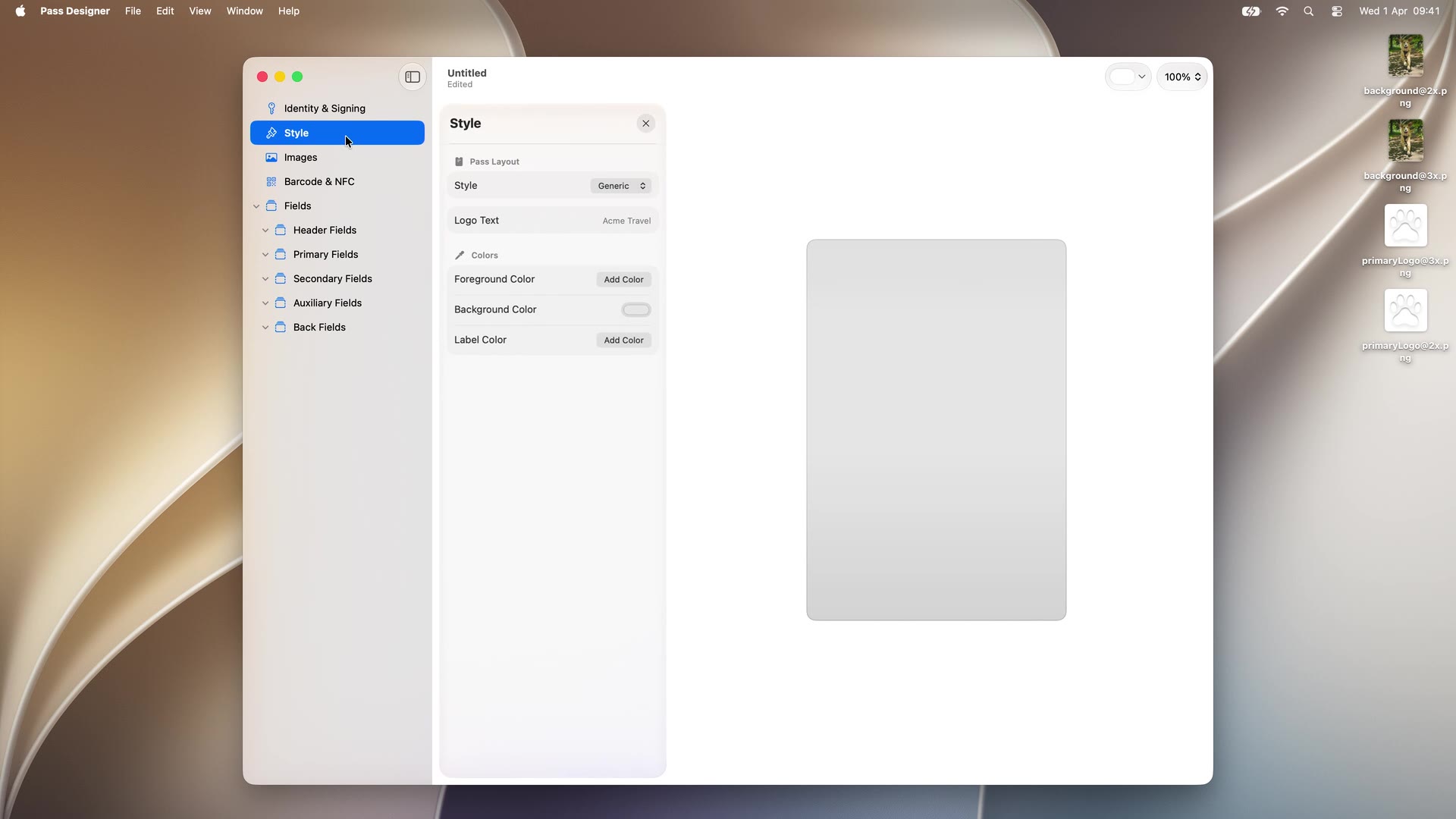
The session’s demo builds a membership card for a dog day care, and it shows the working grain of the app well. A new template opens as a blank canvas, with the Style panel controlling the pass layout, logo text, and the foreground, background, and label colors:
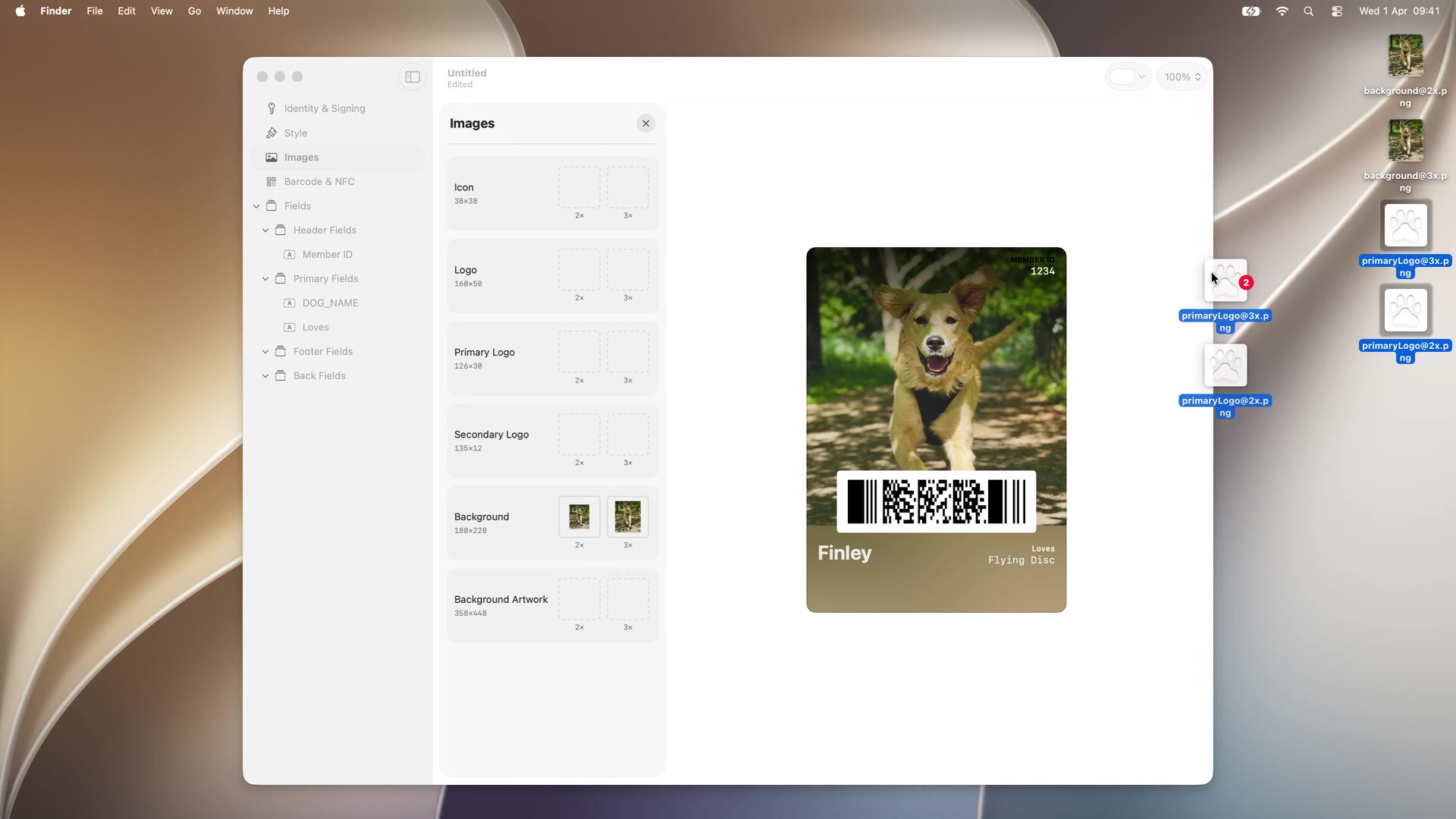
Switching the style to Poster Generic and dragging a portrait photo in fills the pass face. The Images panel lists every slot the style supports with its point size (icon, logo, primary logo, secondary logo, background, background artwork) and takes 2x and 3x assets dropped straight from the Finder:
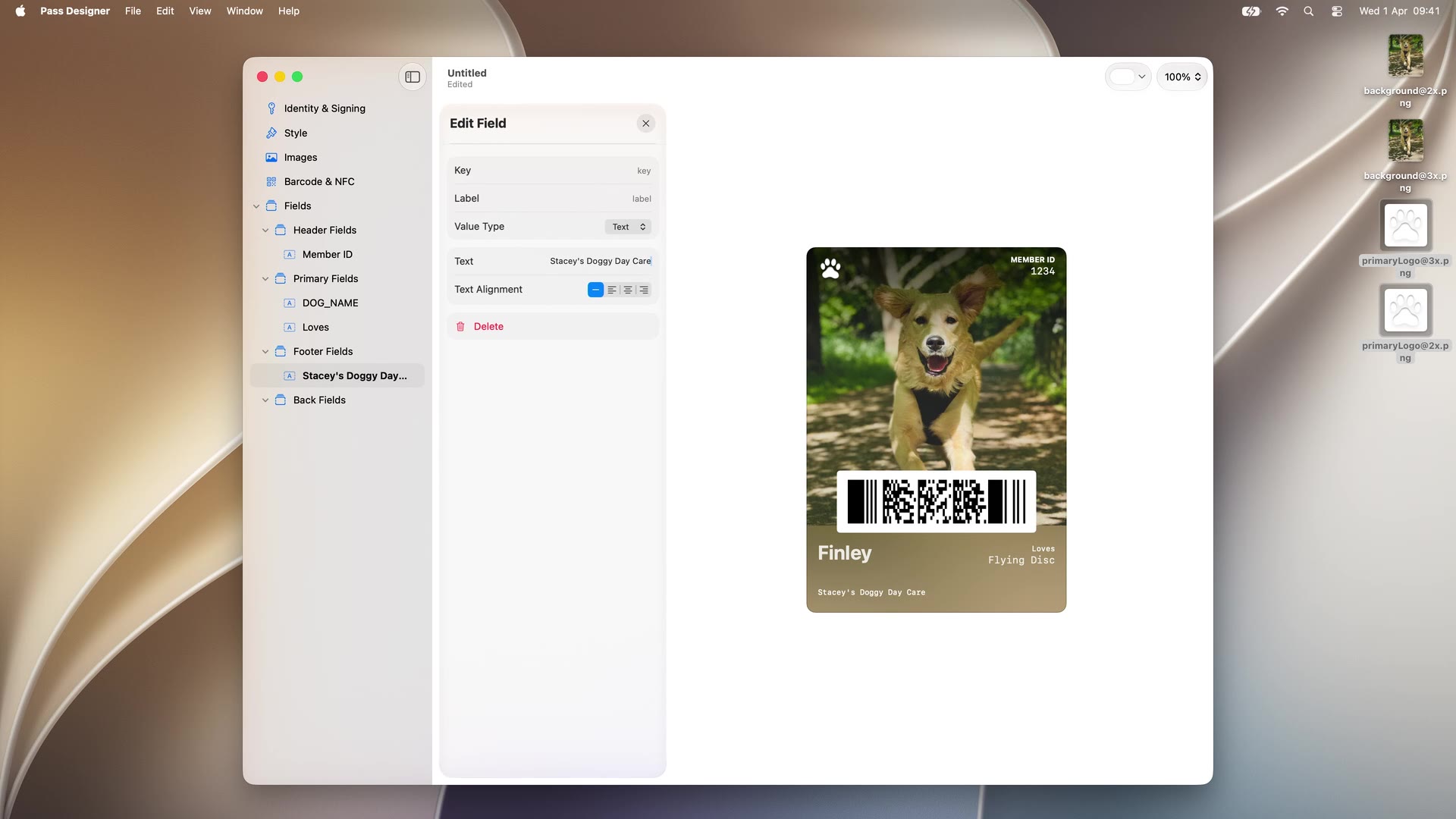
Fields come next, one panel at a time: a header field keyed DOG_ID labeled Member ID, a primary field keyed DOG_NAME, and a second primary field keyed LOVES. One detail worth knowing: on the Poster Generic face, omitting the label on the first primary field renders its value as the large bold title. The barcode panel encodes the member ID, and the format picker swaps a QR for a narrower PDF417 with the preview updating live (the screenshot at the top of this page shows that panel). A label color and a footer field finish the design, and File then Save writes the .pkpasstemplate:
Pass Builder: from template to signed pass
A template is not a pass. Pass Builder, announced in the same session, converts a .pkpasstemplate plus per-customer values into a personalized, signed .pkpass ready for distribution. It is a Swift on Server package that runs on Mac and Linux, with the source on GitHub.
The Swift API is small. PassPackage loads the template and gives type-safe access to the bundle, setValue(_:forKey:) fills the placeholder fields, PassImage assigns per-pass images, Pass.Barcode and Pass.Action configure the barcode and featured actions:
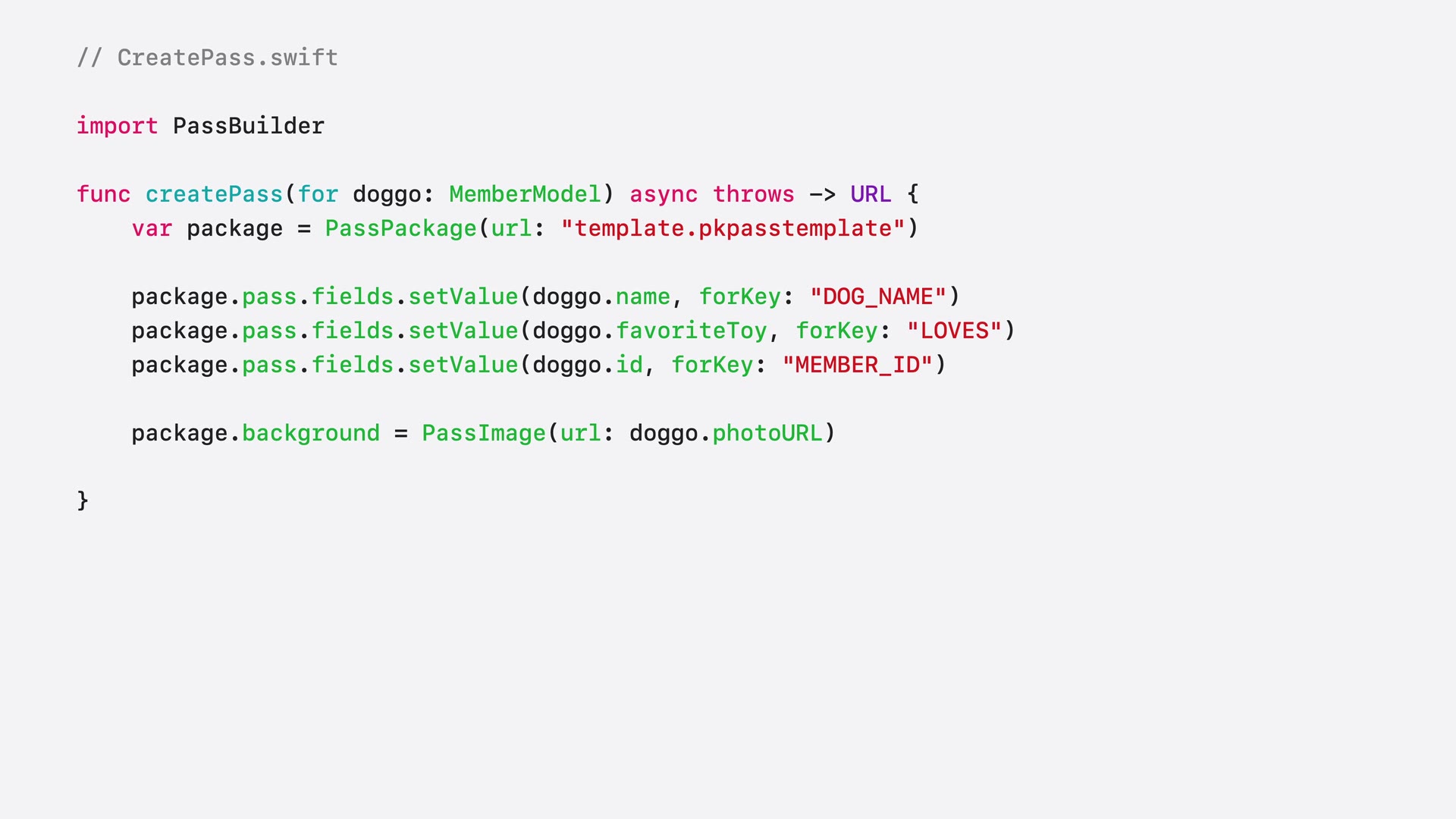
Signing is the part Pass Builder automates away. Producing a .pkpass by hand means generating a manifest of the bundle contents, creating a detached PKCS#7 signature of that manifest, and compressing the result. With Pass Builder you load your pass signing certificate and the Apple WWDR intermediate with PassCertificate, create a PassSigner, and call signPass with the personalized package and an output URL.
For stacks that aren’t Swift, the package reaches out three ways: a command-line executable called buildpass, generated Java bindings via the swift-java project, and protobuf definitions of the template format for generating type-safe models in any language and feeding buildpass a customization message.
iOS 27 context: what the templates can use
Pass Designer arrives in the same release cycle as three pass format additions, and the app is the easiest way to work with all of them: the Poster Generic style (full-bleed artwork behind logo, header, primary, and footer fields), the four new barcode formats (EAN-13, Code 39, Codabar, ITF, with a fallback format recommended for iOS 26 and earlier), and Featured Actions (up to two tappable buttons under the pass face). The format changes themselves are covered in our WWDC 2026 roundup; in Pass Designer they are a style picker, a format picker, and a sidebar panel.
What Pass Designer does not do
The tools cover producing a pass, not running a pass program. Still on your side of the line:
- The Apple Developer account and certificate. Pass Builder signs with your certificate, so the pass type ID registration and certificate lifecycle are yours to manage. The free Apple Account that downloads Pass Designer is not enough to sign and distribute passes.
- Distribution infrastructure. Pass Builder runs on your server; hosting, scaling, and storage are yours.
- Updates and push. A pass that changes after install needs the Apple Wallet web service endpoints and APNs pushes. Neither tool provides them.
- Google Wallet. The template format and tooling are Apple-only. An Android customer needs a separately built Google Wallet object.
- Analytics and lifecycle. Install tracking, revocation, and per-pass state live wherever you build them.
For the full picture of how the WWDC announcements land for pass issuers, see our I/O 2026 and WWDC 2026 Wallet roundup.
Who it is for
Pass Designer is for anyone who wants to see an Apple Wallet pass design before shipping it: developers replacing the edit-build-install loop, and designers producing a client-ready pass mockup that is pixel-identical to the real thing. Pass Builder is for teams that run their own server infrastructure, hold their own Apple certificate, and want the template-to-signed-pass step as a maintained package instead of homegrown signing code.
If you want the design without the infrastructure, a hosted pass API covers the same ground from the other direction. WalletWallet issues and updates passes on both Apple Wallet and Google Wallet from one POST /api/passes call, with signing, the update web service, APNs and Google push handled. We will support .pkpasstemplate uploads, so a template designed in Pass Designer can be uploaded once and issued through that same call.
Official resources
- Pass Designer page and beta download (Apple)
- What’s new in Wallet, WWDC26 session 209 (Apple)
- Creating a pass with Pass Designer (Apple documentation)
- Pass Builder source (GitHub)
- Wallet Passes barcode reference (Apple documentation)
- What’s new in Wallet overview (Apple)
To issue an Apple Wallet pass today without running the pipeline yourself, get an API key and see the pass anatomy guide for every field you can set.
Screenshots are frames from Apple’s WWDC26 session 209 video, © Apple.
Build your first wallet pass
Turn one JSON request into a pass that installs in Apple Wallet and Google Wallet, with live updates that reach both.